
Loyalty Points & Rewards Program
Overview
WAJ's Reward Program lets clients earn points on their spend and redeem them for a discount on future visits. The program's settings live under Marketing → Loyalty & Rewards → Reward Program, and each client's point balance and history appear on the Points tab of their profile.
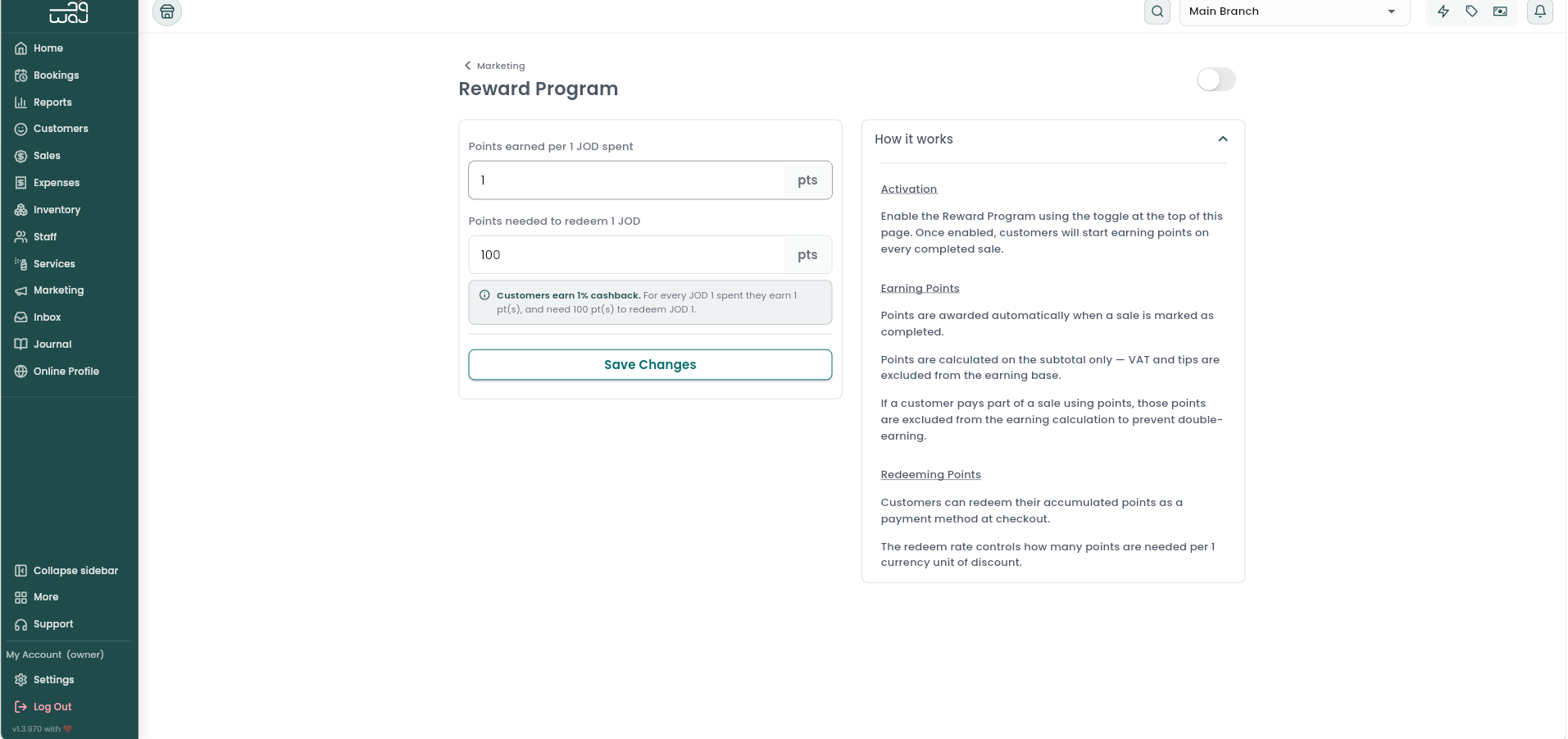
Turning the program on
A toggle at the top of the Reward Program settings turns the whole program on or off for your business. While it's off, clients don't earn or redeem points.

How earning works
- The earn rate — points earned per 1 unit of your currency spent — defaults to 1 point per unit spent and can't be changed.
- Points are only awarded automatically once a sale is marked completed.
- Only the subtotal counts toward earning — VAT and tips are excluded, so a client earns points on what they actually spent on products, services, and memberships, not on tax or gratuity.
- If part of a sale was paid for using the client's own points, that portion doesn't count toward earning either — a client can't earn new points on money they paid with points they'd already earned.
How redeeming works
- You set the redeem rate — how many points it takes to redeem 1 unit of your currency — which defaults to 100 points.
- To find the cash value of a client's points, divide their point balance by the redeem rate.
- Together, the earn rate and redeem rate determine your effective cashback percentage: (earn rate ÷ redeem rate) × 100. With the defaults (1 point earned per unit spent, 100 points per unit redeemed), that works out to a 1% cashback rate. The settings screen shows this percentage live as you adjust the redeem rate.
At checkout, if a client is selected, the program is enabled, and they have a positive points balance, a Points tile appears showing their point balance and its cash value. As with Customer Balance, the amount you apply is automatically capped at whichever is smaller — the value of their points, or what's still owed on the sale — so you can never over-redeem.
Reversals
If a sale is voided or refunded, any points earned or redeemed on that sale are reversed automatically, and show up in the client's history as Points Reversed.
Notes & limitations
- Points don't expire — a client's balance simply accumulates until they choose to redeem it.
- You can set up a Loyalty Points campaign to automatically notify customers whenever they earn, redeem, or have points reversed.